Short-term access, long-term clutter
Teams may need an ID image during an active lender or application process, but not as an indefinite file copy.

Built for finance and mortgage brokers
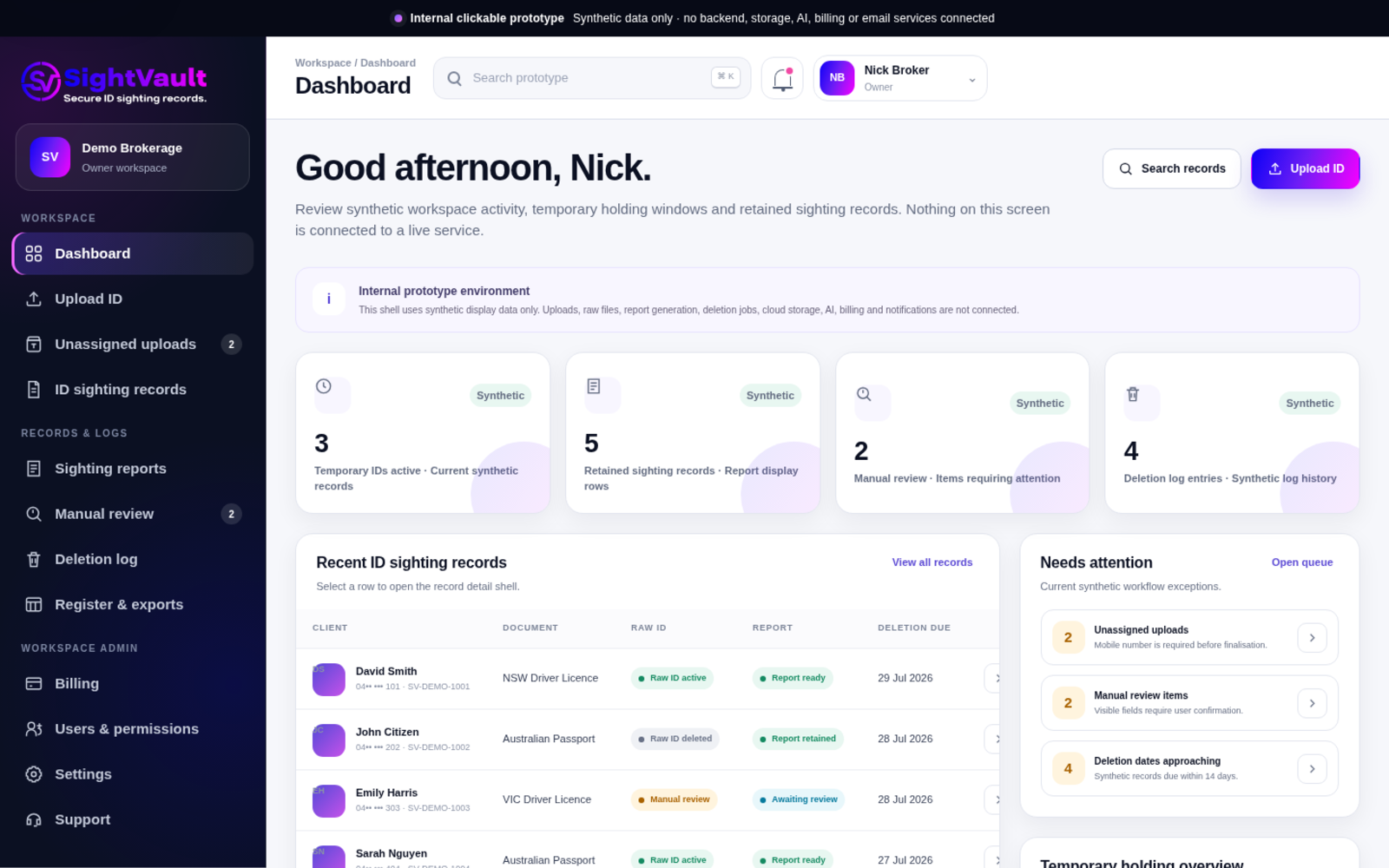
SightVault is being built to help broker teams move raw ID images out of scattered inboxes, devices and folders, create a structured sighting record, and keep clear retention and deletion logs.
The business problem
Finance applications often move photographic ID through email, CRM platforms, cloud storage, local folders and mobile devices. That makes it harder to control access, know what is still needed and document when raw files were removed.
Teams may need an ID image during an active lender or application process, but not as an indefinite file copy.
A separate sighting record can preserve the visible document details and handling context after the image is removed.
Manual and scheduled deletion logs give authorised teams a searchable record of what was received and when it was deleted.
How SightVault is intended to work
The workflow keeps the raw image separate from the business record that remains after deletion.
Add the permitted licence, passport or other supported photo ID images for the client.
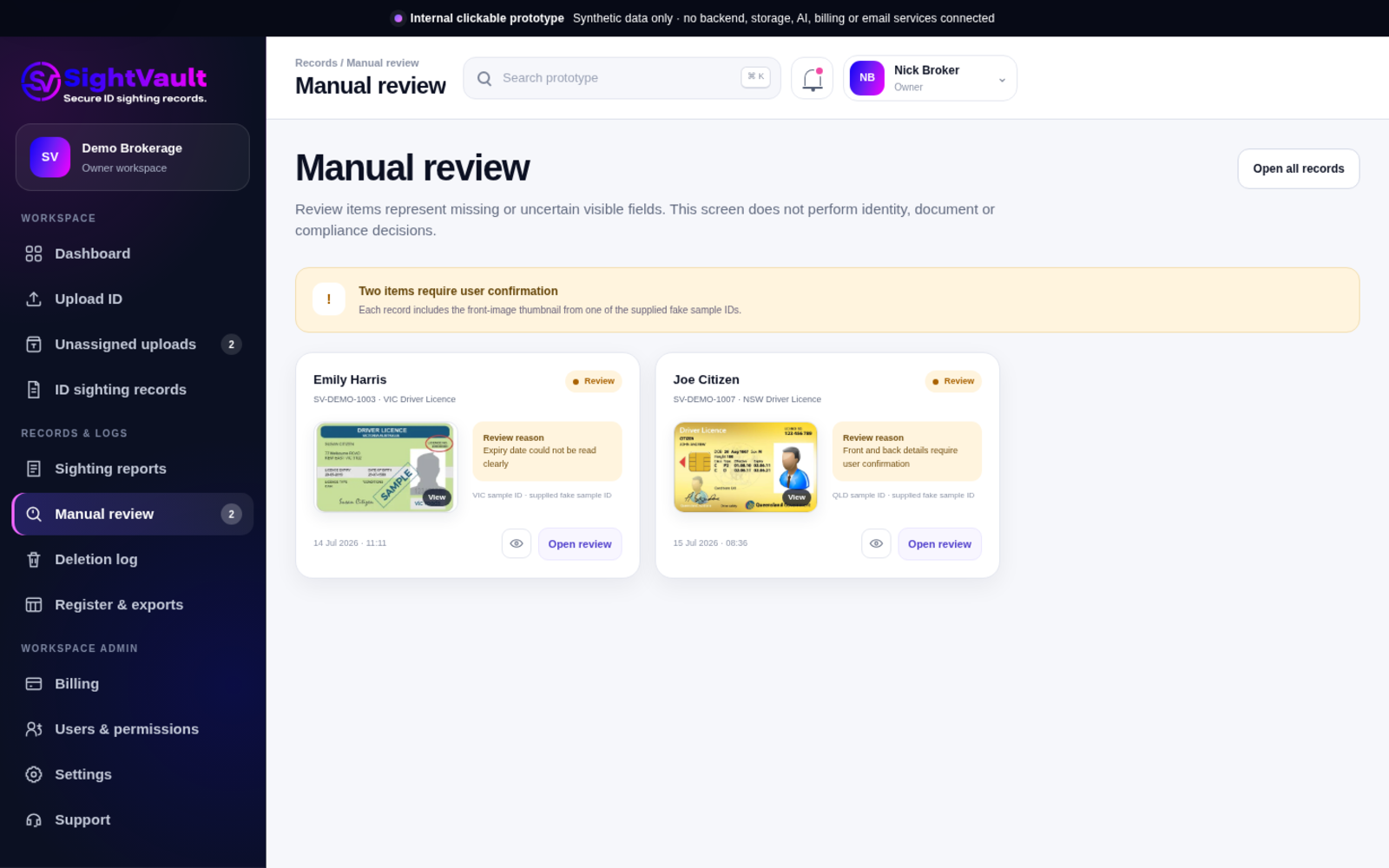
The system reads visible document fields and prepares the information for a sighting record.
A retained ID sighting record is created with the document, processing and retention information.
The raw ID image remains available for a limited time while it is needed for the application or lender process.
The image is deleted after the set retention period, or earlier when an authorised user removes it manually.
The system keeps the sighting record, retention details and deletion log.
Core product workflow
The broker portal is designed around the tasks staff need to complete, without turning raw ID images into permanent file storage. Select any software screen to open a larger view.
Upload and extraction
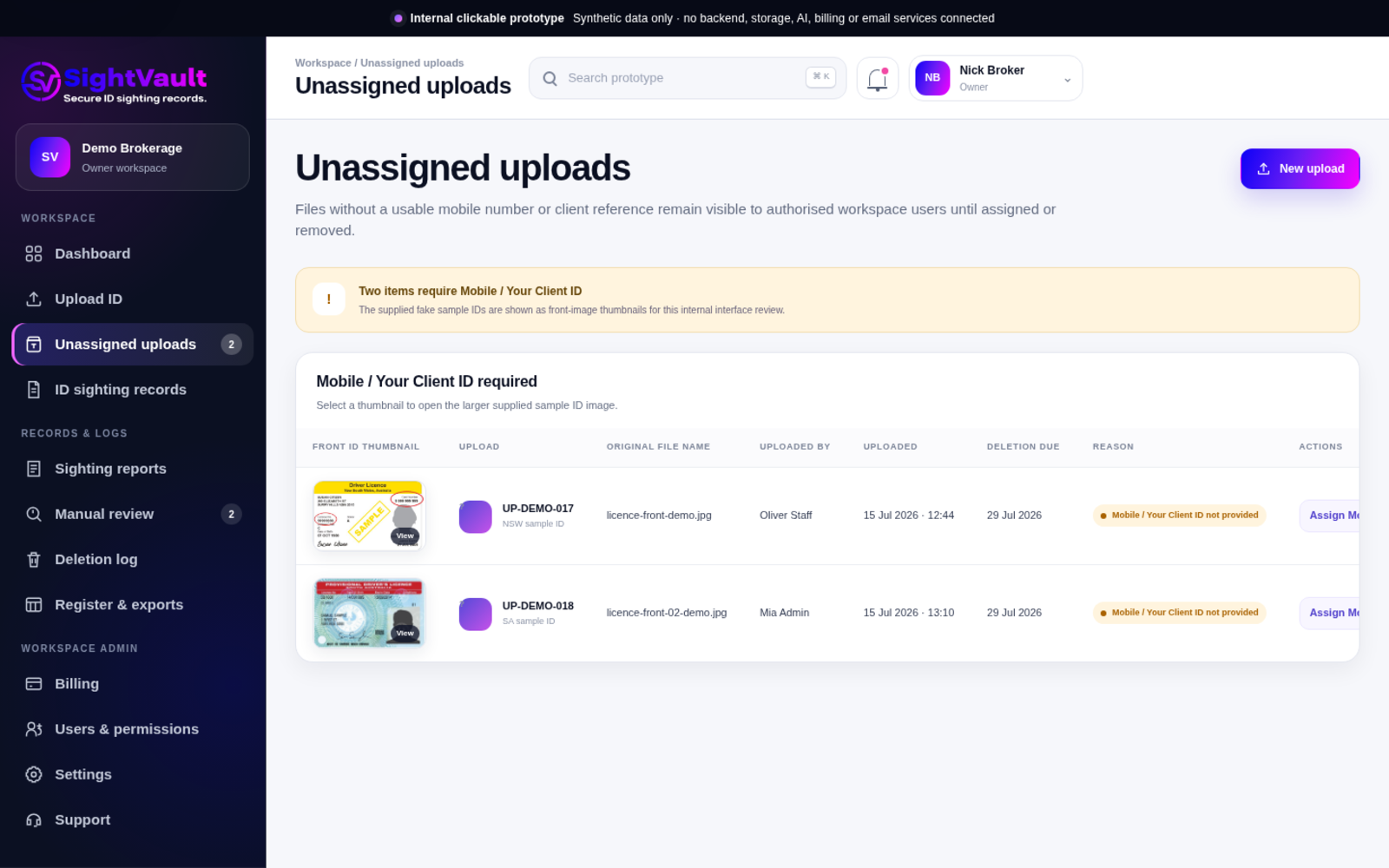
Use the client mobile, client ID or application reference to organise a record. Where the identifier is already included in the file name, SightVault can use it to group the uploaded files.
Search and retrieve
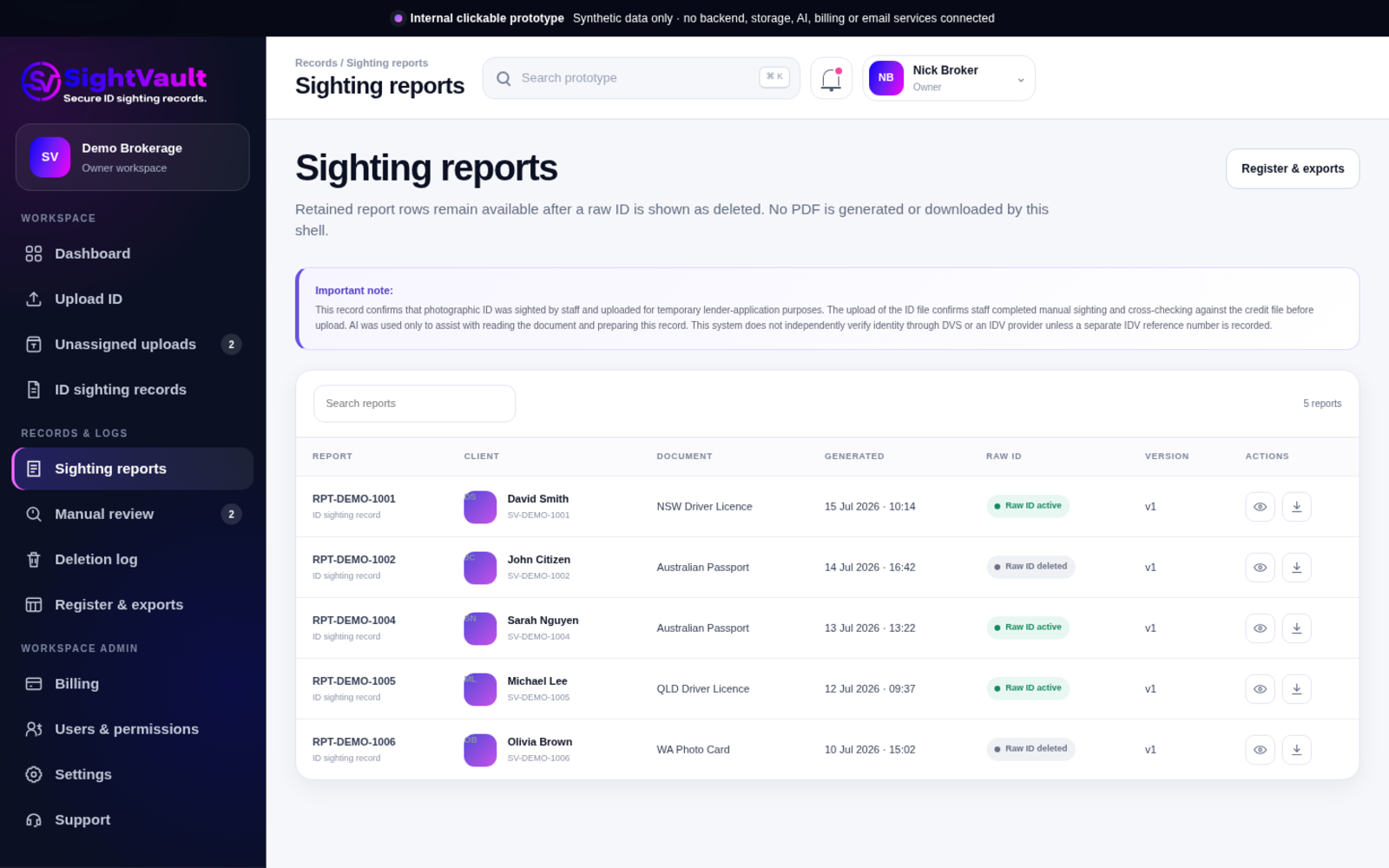
Files are automatically renamed using the client name, mobile or reference, so the team can retrieve the record using details it already knows.
Retained sighting record
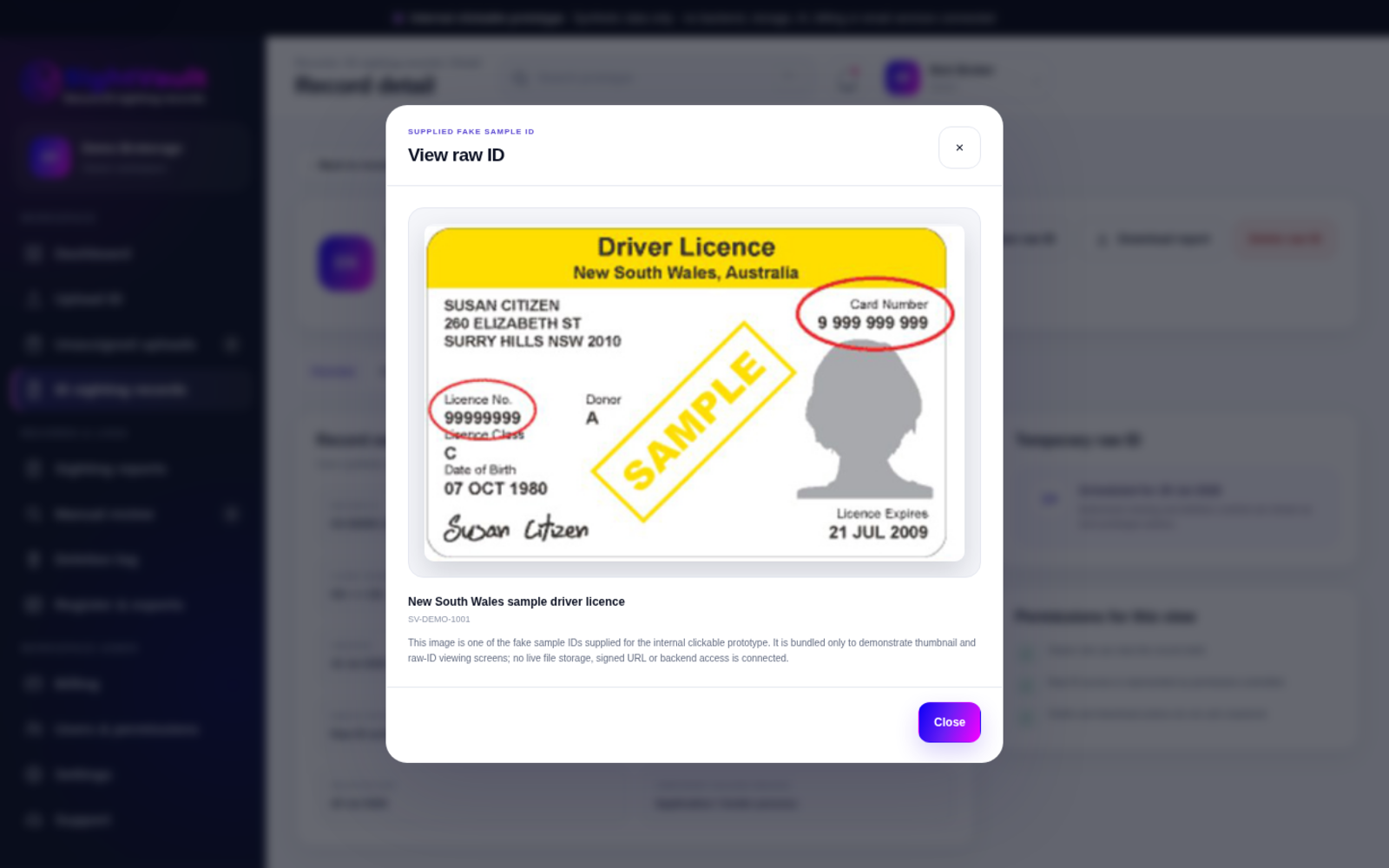
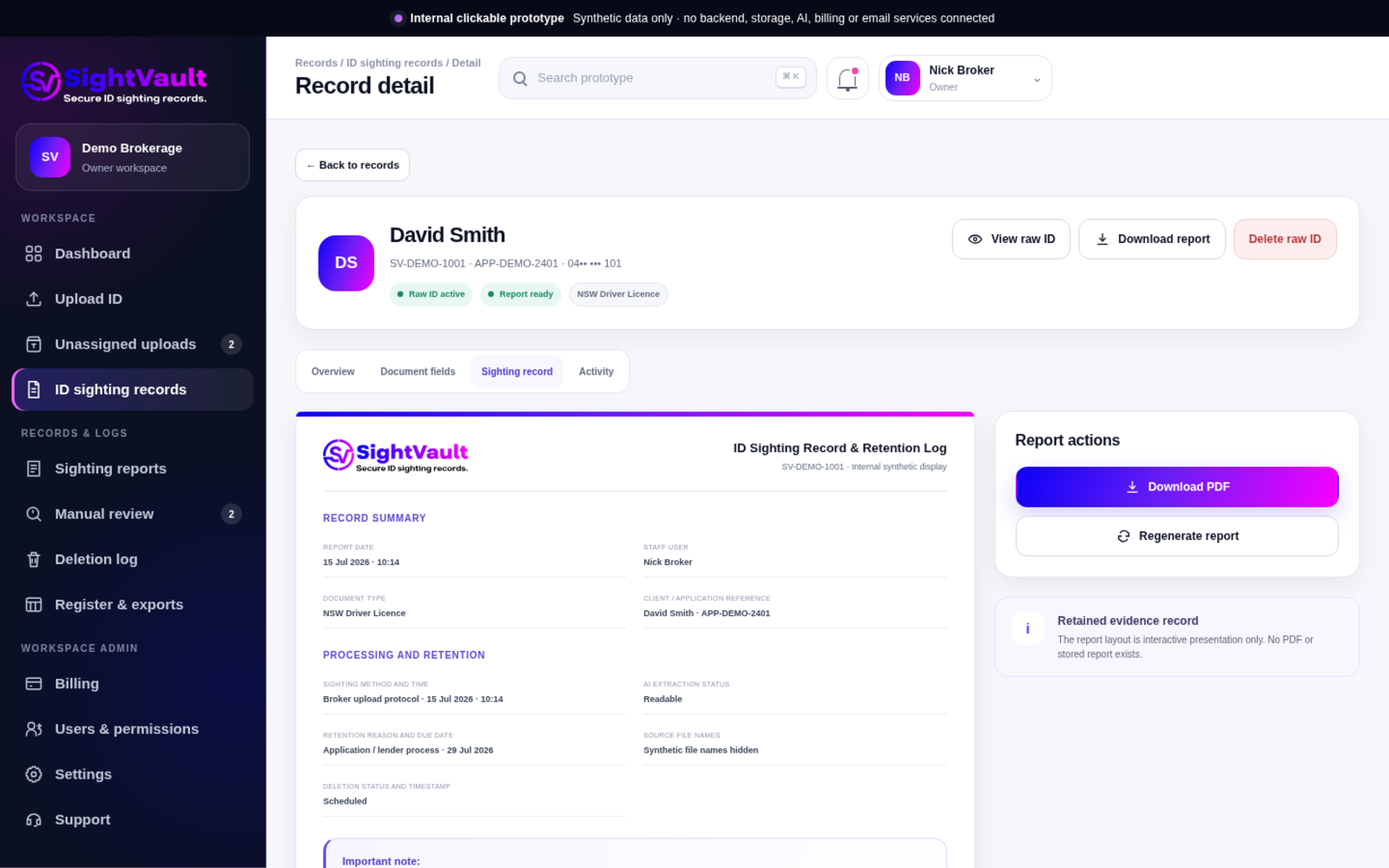
The sighting record captures the key identification details, processing information and retention history required after the original image is removed.
The record is retained after the raw ID image has been deleted.
Retention and deletion logs
This record remains available after the raw ID image has been removed.
Team permissions
Important product boundary
SightVault is designed to create structured records and deletion evidence while responsibility for customer identification and business processes remains with the broker.
Handling photographic ID documents
Recent AML/CTF reforms and privacy guidance have changed how photographic ID documents are handled. Businesses may still collect ID documents to identify a customer, but retaining copies of those documents is not always required.
ID images should be removed when they are no longer reasonably needed for the purpose for which they were collected. Instead of keeping the image, businesses need to retain evidence of how identification was completed.
SightVault is designed to support this workflow by separating temporary ID handling from long-term record keeping.
Initial markets
The first product focus is finance and mortgage broking and finance aggregator networks. Accountants, lawyers and conveyancers, real estate professionals and dealers in precious metals can use the same SightVault workflow at launch; a separate workflow or additional software development is not required for those sectors.
Brokerages, commercial and asset finance teams that collect ID for applications and lender processes.
Networks seeking a consistent broker workflow, a future CRM pathway and retained record visibility.
Professional practices can use the same upload, sighting-record, temporary-holding and deletion-log workflow.
Legal and property practices can use the same SightVault workflow for relevant customer ID handling.
Property businesses can use the same workflow where photographic ID is collected for a genuine business purpose.
Dealers can use the same workflow where customer ID is collected for a genuine business purpose.
Monthly pricing
Each plan includes a monthly record quota. Additional records are charged only after the included quota is used.
1 User
2–3 Users
4–10 Users
10+ Users / Enterprise
Plans are not available for purchase until product launch
Frequently asked questions
The answers below describe the planned product workflow and current owner-supplied settings.
Files can be organised using the client name, client ID or application reference and mobile number. Search using any of those details. If the raw ID remains inside the holding period, an authorised user can access it; the sighting record and logs remain after deletion.
The system is intended to use the client name, client ID or mobile from the upload details or file name, then show a clear display name including the document type and front, back or passport page.
The record can include visible document details, sighting method and date, the user who uploaded it, AI extraction status, retention reason, deletion due date, source files and deletion status. Passport fields are included where applicable.
The current workspace default is 12 days from upload, with no setting above 14 days. An authorised user can delete the raw image earlier when it is no longer needed.
The retained sighting record, register entry, retention information, deletion log and relevant activity history remain. The raw image and its thumbnail are removed from active product storage.
Yes. Planned permissions separate upload, raw-image access, manual deletion, sighting-record access, log exports, user management and workspace settings.
No. SightVault reads visible document fields and creates a record from the business upload workflow. It does not establish whether the person or document is valid. The business remains responsible for its own customer-identification and review process.
Launch target
The current target to full launch is 5–8 weeks. Register for product updates or contact us about a broker, business or aggregator use case.
Stay informed
Register for product updates or send a business enquiry. Do not include customer, applicant, ID document, account or loan-application information.
